Advent NEON
CryoGX • 195.2K Plays • 1.9M Views • star 4.4 (3.4K)
All
Device
Landscape
Orientation
3.4K ratings
Rate This Game
gamepad How to Play Advent NEON
Controls
- [Action]: [Keyboard input] -- [Gamepad input]
- Move: WSAD/Arrows -- Left Stick/D-Pad
- Jump: Space bar/C -- Bottom Face/Left Bumper
- Punch: P/Z -- Left Face/Right Face + Direction
- Dash: O/X -- Top Face/Right Bumper + Direction
- Break Attack: Hold Dash + Press Punch + Direction (can also be done with the Right Stick on Gamepad)
Notes
- Has full gamepad support
- Remap inputs in the options menu
- "Tap up to Jump" can be set
- Gamepad Stick Deadzone can be set between 10% and 85% of the gate radius
- The game is currently only playable in Chromium-based browsers, e.g. Chrome
To ensure your gamepad controls are working, you can open a Visualizer for your inputs by going to Options -> Video -> Display Inputs. These show the real-time inputs from your controller regardless of what's happening in the game.
info About Advent NEON
In the game library at UnblockedGames76, Advent NEON is a noteworthy suggestion for fans of top unblocked games unblocked. The longer players spend in Advent NEON unblocked, the more interesting elements they discover. In Advent NEON, the Action games, Battle, Destroy, Side Scrolling, Controller, Platform, 2D, Fighting gameplay always maintains a fast and engaging pace.
Advent NEON is low effort to start but rewards players who take it seriously. Experience Advent NEON now and enjoy engaging gameplay. If you're searching for more games like Advent NEON, The Final Earth 2 or Gun Bounce Idle are good choices.
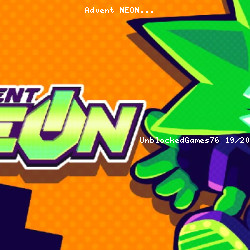
Advent NEON is a fast-paced hyperactive 2D action platformer that is inspired by classic titles, like Sonic.
Punch robot cops while double-dashing and combo-ing them at lightspeed. When do you think they've got the drop on you? Dash through them to freeze time, run circles around them, and wind up a satisfying counterattack!
Once you hit 100% of your power, transform and show everyone how unstoppable you truly are.AdventNEON's got a focus on vibrancy, responsiveness, and freedom. You have got simple, tight (and remappable) inputs, fluid and versatile movement options, and extremely fast combat to allow you to jump around and beat down as you want. My goal is for the game itself to be so fun that you would be willing to open it up and have fun any time you want.
It takes a ton of inspiration from all the games and characters I enjoyed growing up, so you might notice some of that here.
You're put into the shoes of Neon, a special android with the ability to harness Resonance energy and rapidly scale in power. The harder the beatdown Neon dishes out, the stronger they become, until they are a nigh-unstoppable snowball of devastation. The catch? Neon can't maintain this power when getting hit, nor can they take a lot of hits in general. Neon is incredibly fast and powerful, but can only maintain that extreme potential when they're avoiding damage and continuously dishing it out.
If you can fully maintain the flow of Resonance though, you will transform, and be able to let loose 100% of your power! Become faster, stronger, brighter, meaner, and greener as everything in your path struggles to keep pace with you in this form.
Like Celeste? You can use its dash twice. Go nuts. Avoid everything. Counterattack through your enemies. Hack, and wavedash jump cancel™ if you want.
Enjoy platform fighters? Neon's got a fully fleshed-out directional move set, along with the ability to send enemies offscreen to KO them with a satisfying explosion.
Combat lets you cancel virtually everything into everything else. Make your own combos. Hit, stun, and run. Start up that combo with a dash. Unleash a barrage of punches and stop time like it's a [redacted] reference. Take out enemies with repeated dashes. Teleport behind the enemy and end them with a powerful Break attack!
You don't need to remember any optimal combo routes or buttons; just hit and don't get hit and you will win regardless of your playstyle!
Release Date
The game was initially released in August 2019 and has been continuously updated ever since.
Version
This is a demo version of the game.
Developer
AdventNEON is made by CryoGX (Larry Boyd).
Platforms
- Web browser
- Steam