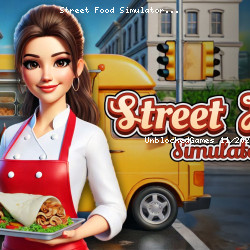
Street Food Simulator - Online Casual, Mobile, Food, 3D, Simulation, Business, Management Unblocked Game
Virtual Projects • 47.9K Plays • 381.9K Views • star 4.5 (1.4K)
All
Device
Landscape
Orientation
1.4K ratings
Rate This Game
gamepad How to Play Street Food Simulator
Controls
Desktop Controls
- Move = Use the arrow keys to navigate around the truck.
- Look Around = Move your mouse to rotate the camera and look around.
- Pick Up Items = Press the Spacebar to pick up boxes.
- Place Items = Press R to place food or tools on a counter or shelf.
- Throw Items = Press C to discard boxes or trash.
Mobile Controls
- Move = Use the joystick to navigate around the truck.
- Look Around = Drag on the right side of the screen to rotate the camera.
- Pick Up Items = Tap the screen while looking at a box to pick it up.
- Place Items = Tap the Place button (top right) to place food or tools on a counter or shelf.
- Throw Items = Tap the Throw button (top right) to discard boxes or trash.
info About Street Food Simulator
Street Food Simulator delivers the familiar unblocked gameplay style often found in unblocked games at school games. The unblocked gameplay remains accessible while still offering depth. The gameplay of Street Food Simulator respects the player — it is challenging without being punishing.
Street Food Simulator offers the familiar experience of many Casual games, Mobile, Food, 3D, Simulation, Business, Management games. Don’t miss out on Street Food Simulator — enjoy it instantly on Unblocked Games 76. Space Waves or BlockBuster Puzzle would be good suggestions if you want more games after Street Food Simulator.
Street Food Simulator is a fast-paced cooking adventure where you run a food truck and serve up sizzling dishes on the go. Take orders, cook delicious meals, and satisfy hungry customers to earn cash and unlock upgrades. With new recipes, ingredients, and time-management challenges, you’ll build your street food empire one meal at a time.