Mine Blocks - Classic Unblocked Online Game
Zanzlanz • 74.9K Plays • 149.7K Views • star 4.4 (9.2K)
All
Device
Landscape
Orientation
9.2K ratings
Rate This Game
gamepad How to Play Mine Blocks
Controls
- Move your character with the WASD keys. Sprint by double-tapping A or D
- Collect resources by clicking and holding on to nearby blocks or creatures. Use the right tools for the right job
- Place blocks by selecting a block in your Hotbar and right-clicking on an empty space in the world
- Open your inventory by pressing E. Here, you can craft items and equip armor
- Use an item or eat food by selecting the item in your Hotbar and right-clicking and holding. You can review and change your controls in the settings menu.
info About Mine Blocks
Anyone who enjoys unblocked games 76 will definitely want to give Mine Blocks a try. Mine Blocks showcases the creativity of the Zanzlanz team in building unblocked browser games.
Mine Blocks is one of those unblocked games 76 titles that is easy to start but tough to master. Mine Blocks becomes an enjoyable unblocked entertainment option within the unblocked games 76 space. Mine Blocks delivers a familiar experience for Action games, Sandbox, Pixel, Minecraft, Mining, Side Scrolling, Building, 2D, Survival, Animal, Multiplayer, Crafting, Block fans.
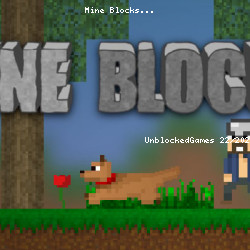
Mine Blocks is a 2D Minecraft fan action game initially released in Flash. You can now play the game again, as it’s been rebuilt in HTML5 and features regular updates from the development team. Explore, craft, and create a world of your imaginings in this open-world playground!
How to Play Mine Blocks
Mine Blocks shares many features with Minecraft, including the cool pixelated visual style. However, the game also introduces entirely new ideas. Mine Blocks has two principal game modes: survival and creative. More recently, the "minigames" tab was added to feature new game modes.
Survival
Collect various materials to craft shelter, weapons, and sustenance. The materials combine with others to create new items. For example, using wood and stone to craft a wooden axe. Shelter and weapons are necessary to fight hostile mobs such as creepers, spiders, and zombies.
Creative
Creative mode is a sandbox where you’re free to roam and have unlimited resources at your disposal. You won’t lose health or die, and you can fly around the map by double-tapping ‘W’ or ‘Space’ to place blocks, items, and mobs wherever you please. In this mode, you can use your imagination to build epic structures, cities, worlds, and everything else.
Join the scavenger hunt!
As of update 1.31, you can join your friends in online multiplayer and complete the scavenger hunt to find all 10 items in 8 minutes before someone else does!
More Games Like This
You can browse our Sandbox and Minecraft games for similar titles to Mine Blocks like Bloxd. Other action games worth a try include Jacksmith, where you forge weapons for battle.
Features
- Survival and creative mode
- Play online in the scavenger hunt!
- Save your levels and creations
- Limitless possibilities for creation and design
- Simple controls similar to the original Minecraft
Platform
Mine Blocks was launched as a Flash game. The HTML5 version has been available since 2021 and can be played without plug-ins!
Developer
Mine Blocks is created by the indie game and music developer Zanzlanz. This small production company has created fantastic titles such as Snowman Slide, Deseeder, and the popular follow-up, Mine Blocks 2 and Mine Blocks 3.
Visit Unblocked Games 76 and start Mine Blocks today so you do not miss out on a worthwhile experience. You can continue exploring exciting gameplay in Click Click Clicker or Jungle Deer Hunting.